
Overview
Problem
Solution
Research
Persona
Decisions
Outcome
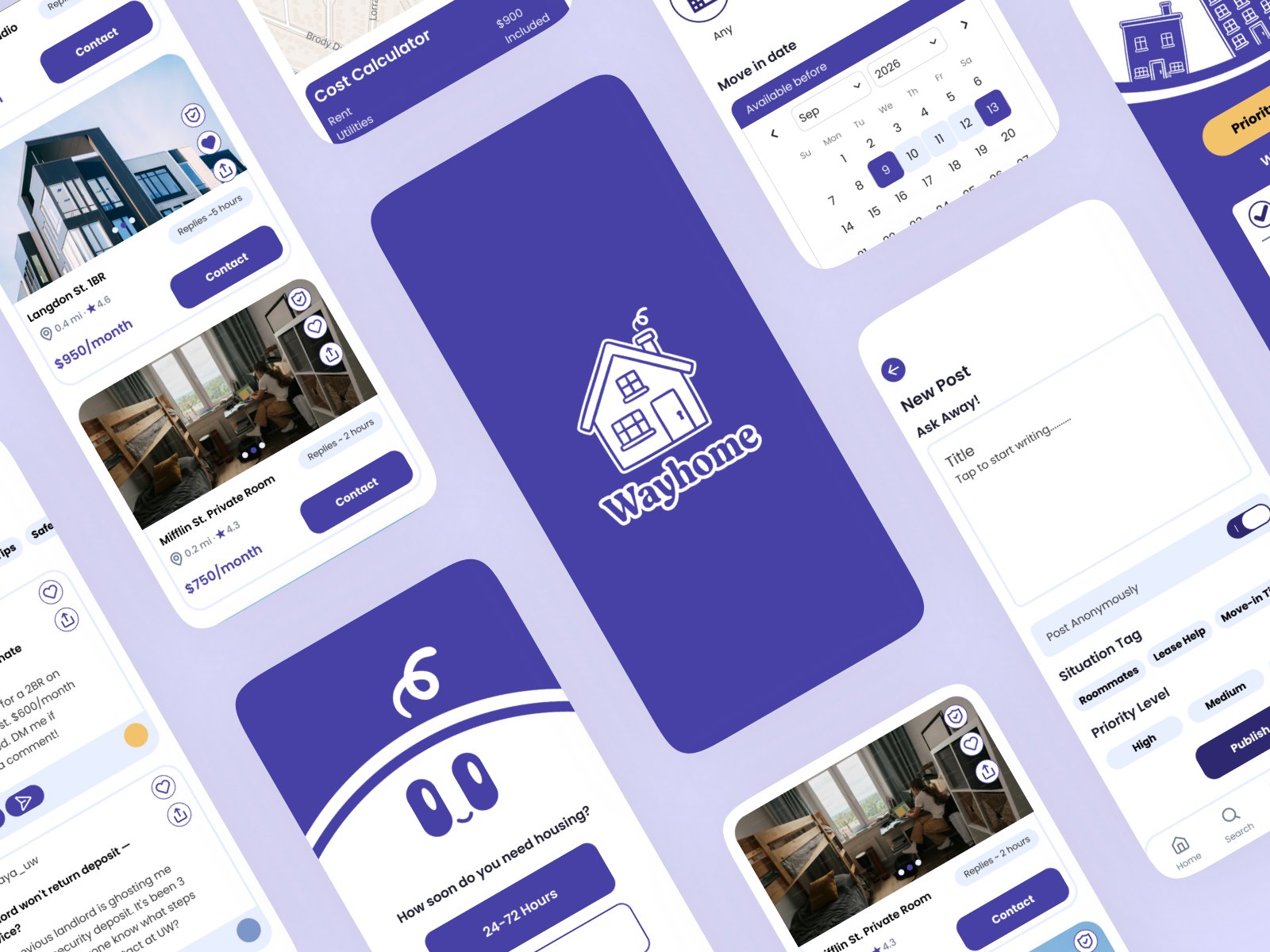
WayHome app screens: verified listings, cost calculator, move-in date picker, and community posts
Experience Design App, UX Research, Design Systems

WayHome

Making student housing searches feel manageable, with a mobile app built around tight leasing deadlines and the scattered information general rental tools were never designed for.

Role
UX Designer, UX Researcher
Timeline
Spring 2026
Tools
Figma, Adobe Illustrator

The Problem

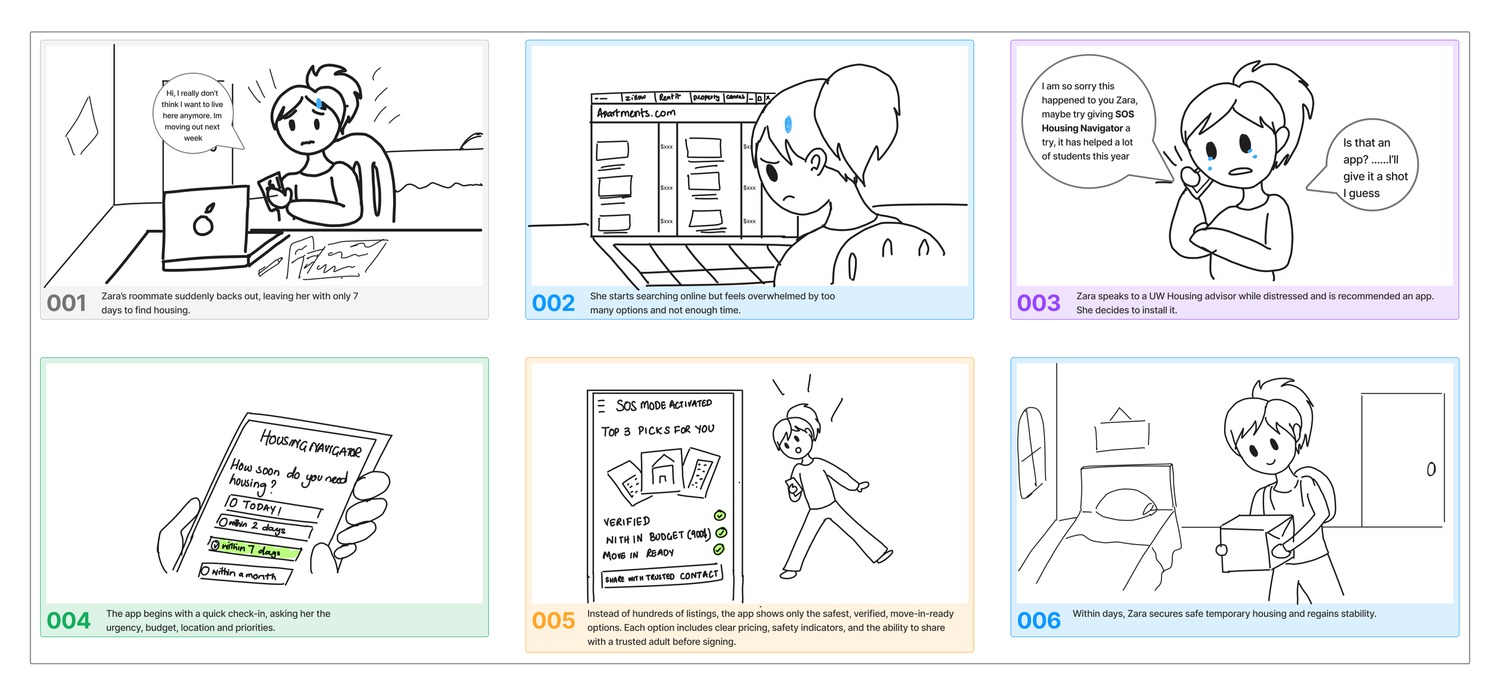
When I moved to Madison, I saw firsthand how stressful finding housing is for students. Leases open before the semester has even settled in, information is scattered across friends, group chats, and strangers, and the pressure isn’t always predictable: a roommate backs out, a lease falls through, and a search that had months suddenly has days.

To see how widespread it was, I surveyed 302 UW–Madison students and held 3 in‑depth interviews.

Guiding Question. How might we help UW–Madison students facing urgent housing challenges make guided, confident decisions about safe, affordable housing under extreme time pressure?

The Solution

That question became WayHome, a mobile app built around three tasks that adapts to how much time a student has left. Here’s what it does; the rest of this page is how I got there.

1

Urgency Check-in

A student selects their timeline, and the app activates Priority Match, Guided Search, or Just Browsing mode — from there, only verified, move-in-ready listings are shown.

2

Browse Verified Listings

Every listing shows a true cost breakdown of rent, utilities, and deposit, a visible verification badge, and a direct way to contact the landlord or apply.

3

Peer Community Support

Students can post for help, read advice from others who've been through it, and connect with peers navigating similar housing situations.

Try it yourself: the Figma prototype is fully interactive across all three task flows.

View Prototype

Core differentiator: The app adapts to urgency level. Priority Match surfaces only 3 verified options when time is critical, eliminating choice paralysis when it matters most.

WayHome splash screen shown on a phone mockup with a soft purple glow
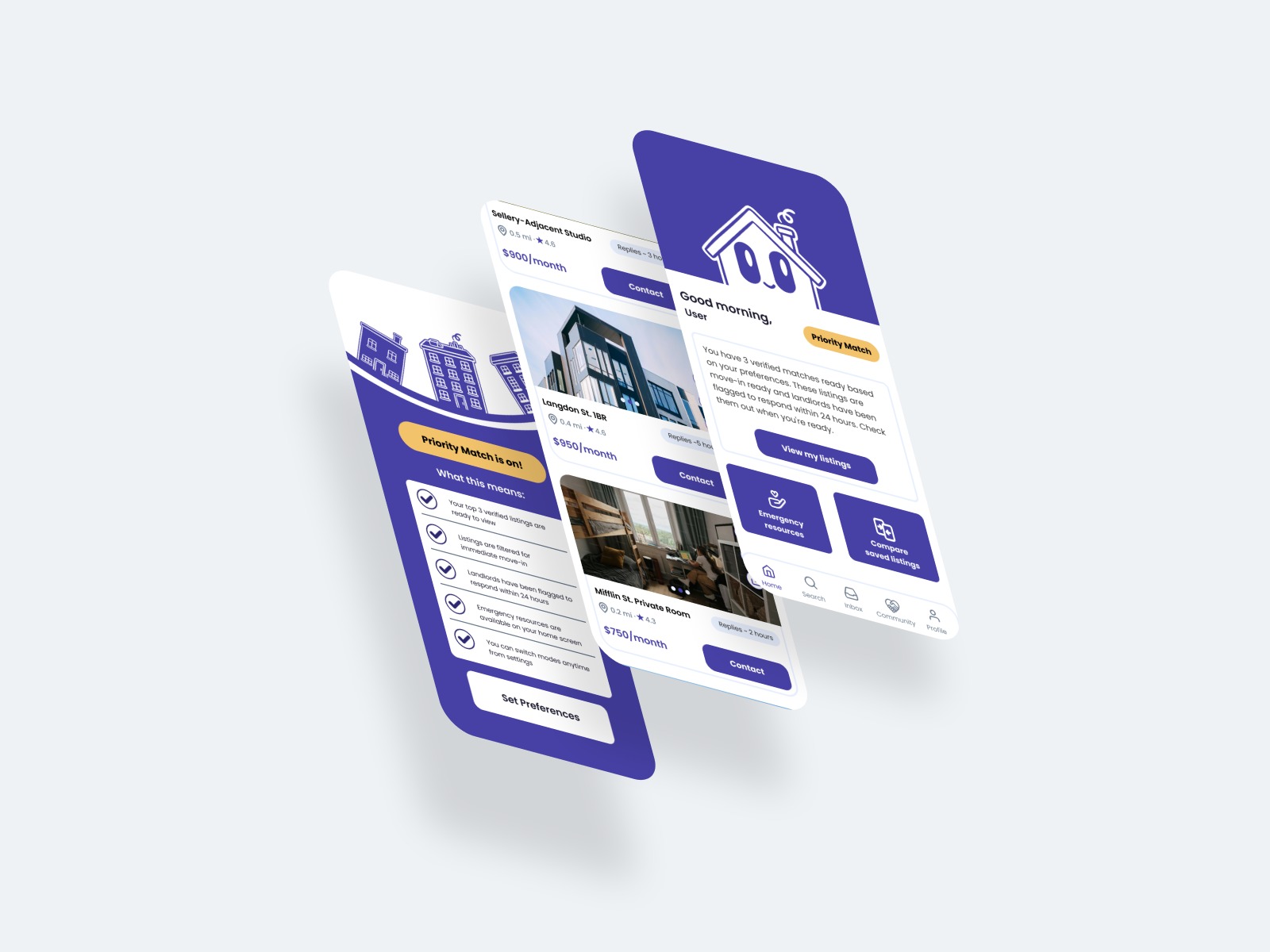
Three WayHome screens layered together: the home dashboard with Priority Match, a listings overview, and a saved listing
How I Got Here

Process

  1. Research

    Student Surveys, Pain Point Mapping, User Interviews, Competitive Analysis

  2. Ideate

    HMW Statements, Brainstorming, Feature Prioritization, Urgency Mode Concept

  3. Design

    Wireframing, Paper Prototyping, Hi-Fi Mockups

  4. Test

    Usability Testing, Iteration

What We Learned

Research Findings

91%
of students felt pressured by early leasing timelines
45%
found reliable housing information difficult or very difficult to find
56%
said housing costs negatively affected their wellbeing or academics
Insight 1

Students feel forced to decide too early

Many commit before understanding lease terms, costs, or roommates. Pressure of time drives high-risk decisions.

"I was just settling into freshman year, then I had to look for housing right away. Everything comes at you at once."Interview: De Chia
Insight 2

Information is fragmented and unreliable

Students rely on friends, Reddit, and group chats. Only 27% found housing information easy to access.

"The first year was scams. I couldn't even contact the landlord."Interview: De Chia
Insight 3

Housing stress goes beyond just rent

Financial pressure forces tradeoffs between cost, safety, distance, and quality, impacting academic focus.

"The price was way higher than I expected, so I had to choose between paying more or living farther away."Interview: Hiro
Insight 4

New housing prioritizes luxury over affordability

Students feel excluded from nearby options, increasing scarcity and pressure to commit early to whatever's left.

"They keep building luxury apartments, but most people I know don't want extra amenities for high rent."Survey response
Who We Designed For

Meet Annie

Portrait of Annie Kugisaki, the WayHome persona: a smiling college student with long dark hair in a pink t-shirt

Annie Kugisaki

Sophomore looking for off-campus housing

“I’ve been so annoyed ever since I moved to Madison. It feels like I have to sign a lease before I even understand what I’m signing!”
Age
19
Education
Business Consumer
Occupation
UW–Madison student
Location
Madison, Wisconsin
  • Sporty
  • Studious
  • Overwhelmed
  • Picky

A first-time renter facing early leasing pressure, scattered information, and cost uncertainty.

Read Annie’s story

Annie is a 19-year-old Business Consumer major looking for an apartment after her freshman year. She likes to study ahead so she has time for the things she enjoys later, like shopping, playing volleyball, and running along Lake Mendota. She prefers clear instructions and directions she can refer back to, so nothing is confusing.

She gets annoyed when she has to look for housing during the same time as her academic semester, and frustrated when she has to learn about off-campus housing all by herself. Although she is intelligent and hardworking, she feels thrown into a ditch with no way of climbing out. Annie believes UW–Madison needs to do a better job of providing off-campus housing resources for its students.
Goals & motivations

  • Affordable, near campus
  • Decide without feeling rushed
  • Avoid a lease she will regret
  • Balance housing with classes

Fears & frustrations

  • Pressure to commit too early
  • Not understanding lease terms
  • An overpriced or run-down place
  • Navigating it with no guidance

Behaviors

  • Budgets carefully
  • Researches what apartments include
  • Avoids landlords unless necessary
  • Plans her days with an agenda

Needs

  • Save money each month
  • Find a place by semester’s end
  • Learn more about apartments
  • Time for studies and classes

Her tendencies

Tech confidence
Social comfort
Frustration level

Annie is a composite persona based on the survey and interview findings above.

My Approach

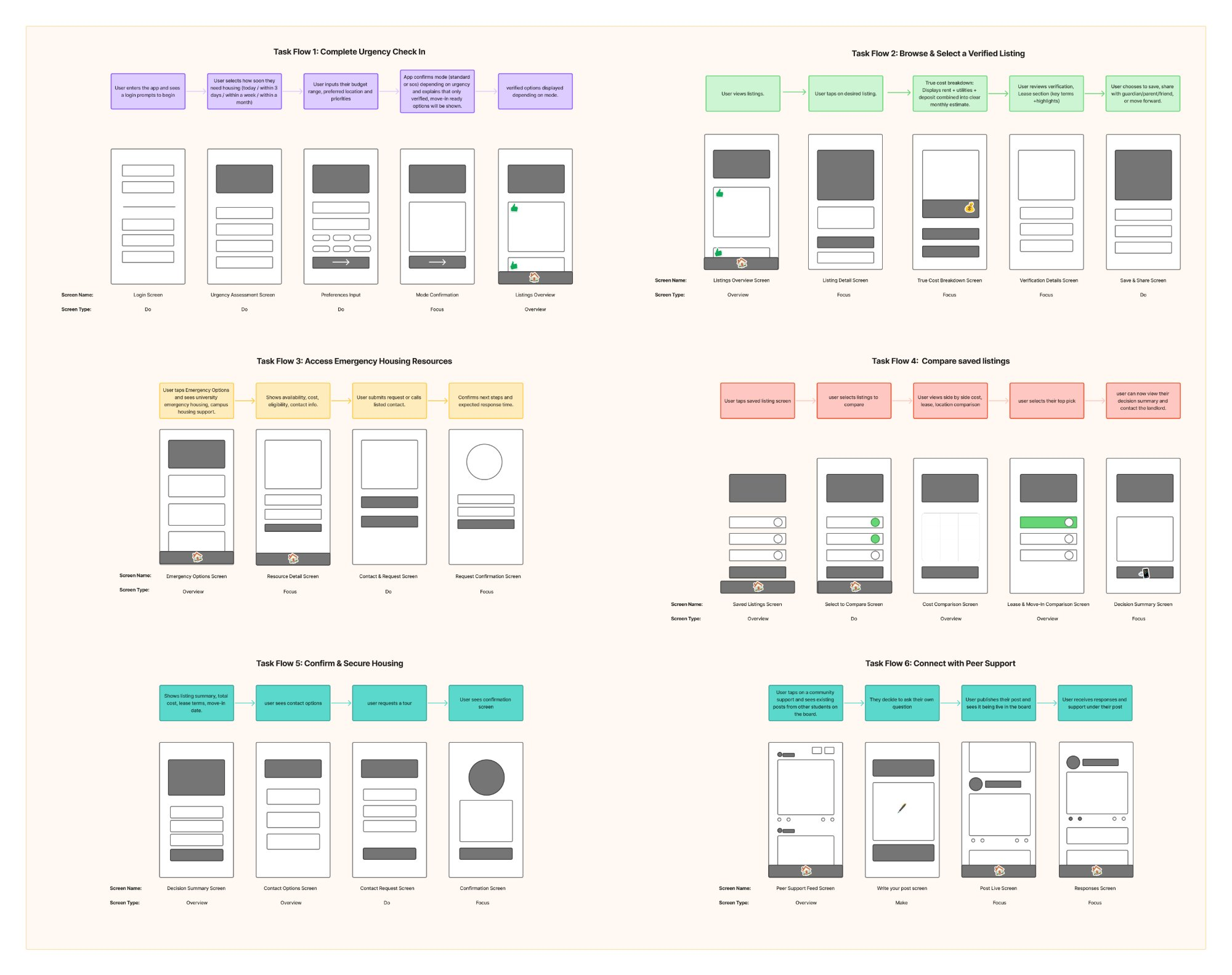
Based on these insights, I mapped six task flows, then moved from low-fidelity wireframes to paper prototypes to a high-fidelity design system. The goal was three adaptive urgency modes that could meet a student wherever they were in their timeline, without adding one more overwhelming app to the pile.

Six Task Flows
Six task flow diagrams: complete urgency check-in, browse and select a verified listing, access emergency housing resources, compare saved listings, confirm and secure housing, and connect with peer support. Click to zoom in.
Annotated Mid-Fidelity Screens
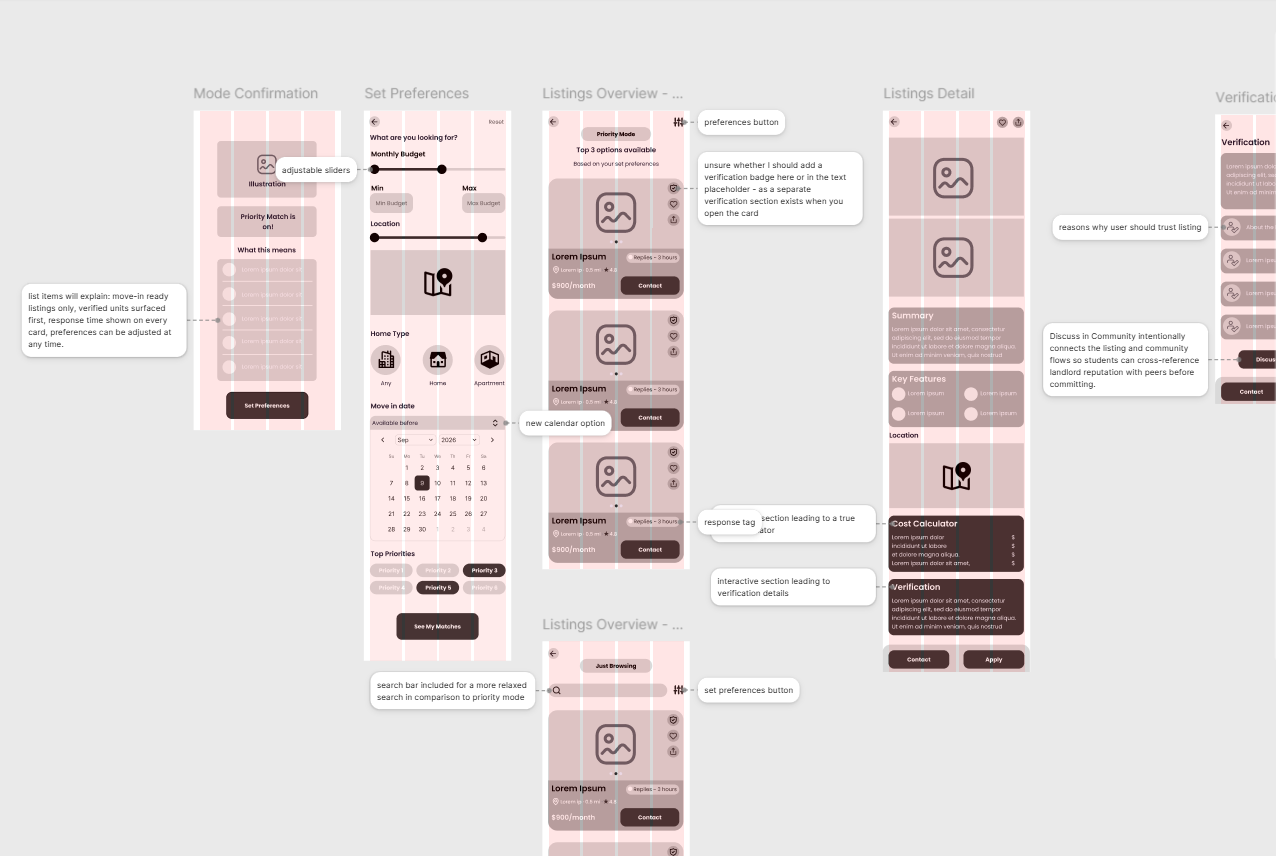
Annotated mid-fidelity screens for preferences, listings, and verification, noting interaction details ahead of hi-fi design. Click to zoom in.
Paper Prototyping — Tested with 2 UW–Madison Students
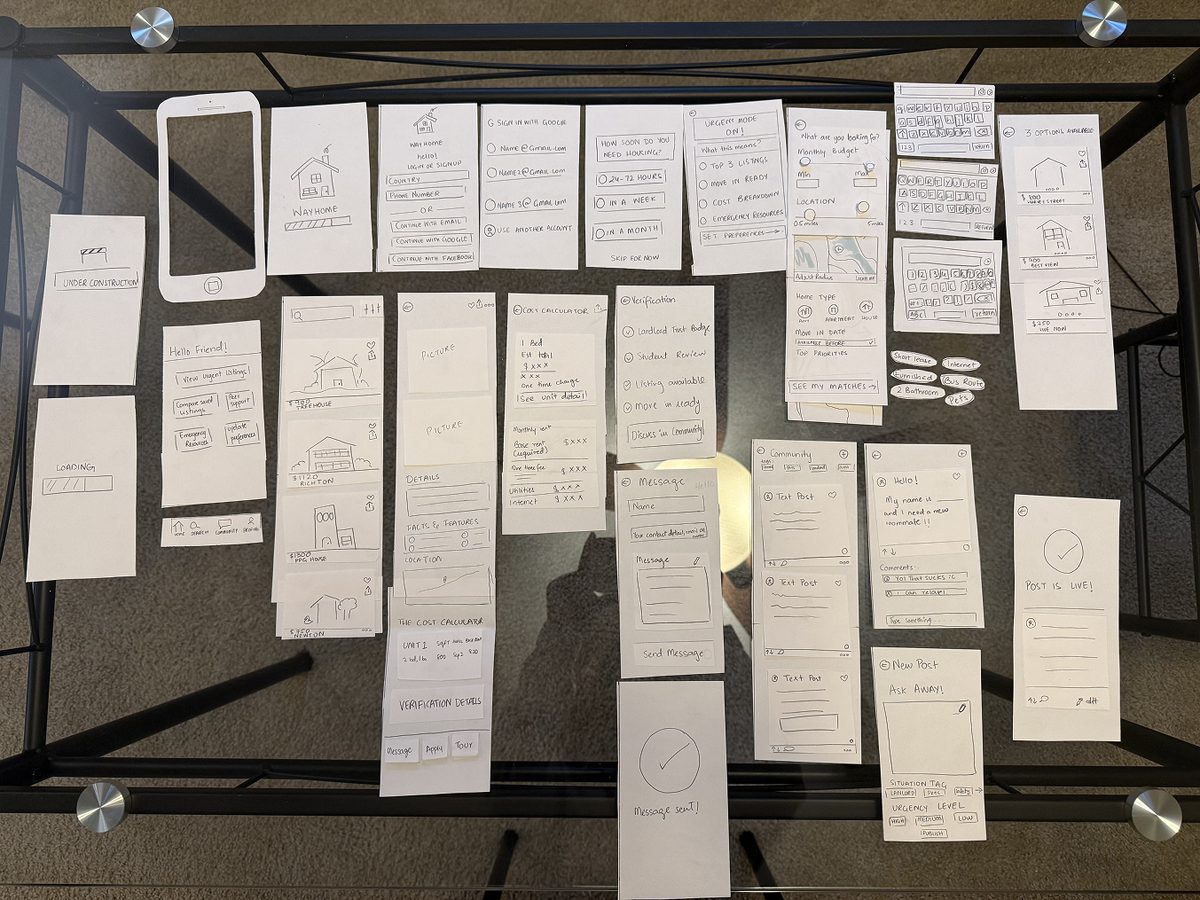
Overhead view of the full paper prototype, every screen laid out. Click to zoom in.
The full paper prototype, laid out screen by screen.
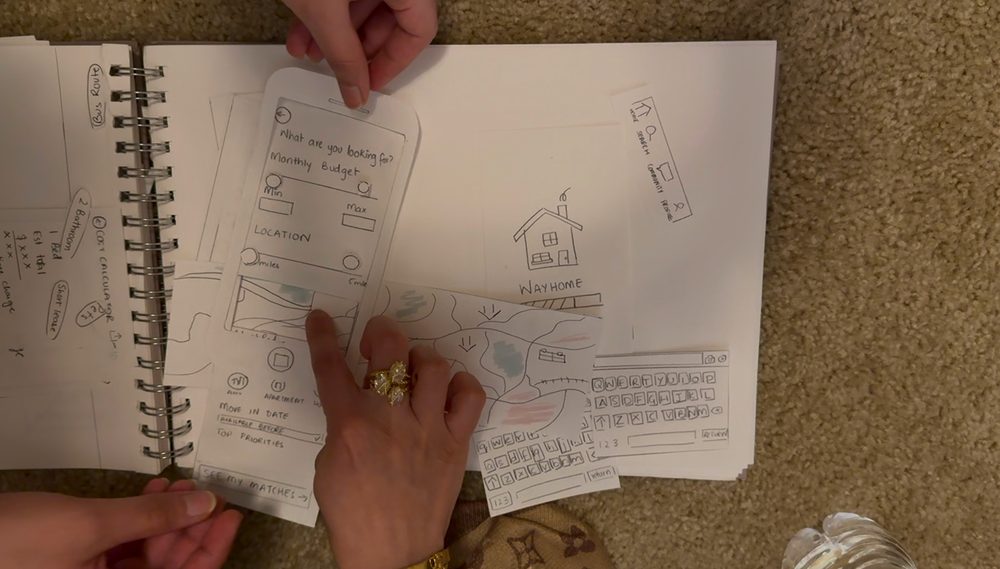
Testing the booking flow with paper wireframes. Click to zoom in.
Walking through the booking flow with a UW–Madison student, one paper screen at a time.
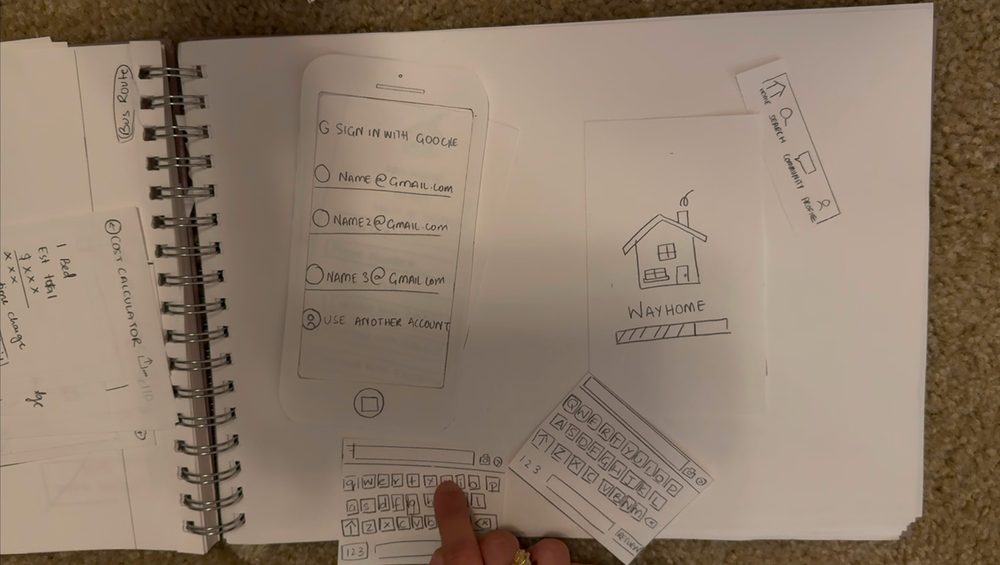
Testing the sign-in flow with paper wireframes. Click to zoom in.
Testing sign-in and onboarding before touching Figma.

Building the Brand

The visual identity needed to feel calm without feeling clinical: a purple base for trust and clarity, with amber as an accent for urgency and warmth, set in Poppins for a rounded, approachable typeface that still reads clearly under stress. I deliberately avoided red. It’s UW–Madison’s color, but red signals alarm, and a student already under pressure shouldn’t feel like they’re in an emergency.

Type FacePoppins
Aa
RegularMediumSemi-bold
#4741A6
#2E2870
#7C96CA
#F2C36B
WayHome brand mark: the roofline and chimney curl motif used across the app

The WayHome mascot — a friendly rooftop silhouette used across onboarding and empty states.

Final WayHome logo lockup

The final WayHome logo lockup.

Decisions & Constraints

What shaped the design

Designing for someone with days, not months, to decide meant cutting things down instead of adding to them. Looking back across the process, these are the moments that changed the direction.

  1. Pivot

    Choosing the concept

    After brainstorming three concepts, I chose the Emergency Housing Navigator, later refined into WayHome. It was the most distinct, highest-urgency, and most underserved need I’d found.

    Result A student in crisis with only days to act had no existing solution built for them.

  2. Feedback

    Instructor feedback on the concept

    My instructor suggested narrowing from the broad “how to find a house” problem to students under real time pressure, and treating tools like a cost calculator as supports rather than the core.

    Result I framed the design around one question: what does someone with days to decide need right now? The cost calculator lives inside each listing instead of leading the app.

  3. Constraint

    Designing for a crisis

    People in an urgent search are stressed and short on time, so the app couldn’t be one more overwhelming thing to manage.

    Result Three urgency modes. Priority Match shows only 3 verified listings when time is critical. Guided Search paces students who have a few months, with checklists and reminders, since interviews showed how much they second-guess themselves alone. A third mode, Just Browsing, came out of testing (next).

  4. Pivot

    Paper prototype testing

    I tested paper prototypes with 2 UW–Madison students before building anything in Figma.

    Result Even early-stage students wanted a low-pressure way to look around, which shaped Just Browsing mode, with no deadlines or urgency cues.

  5. Feedback

    Heuristic evaluation

    An evaluation of the designs pushed me to carry verification badges and priority labeling into every mode.

    Result Trust signals are never more than a glance away, a direct answer to the 45% who found reliable information hard to find.

Outcome

A high-fidelity mobile prototype with three adaptive urgency modes, each one traced back to the research above rather than a guess at what students might want.

Key Takeaways

  • Narrow the user before designing. My instructor pushed me from “how to find a house” to students with days to decide, and that focus shaped every later choice.
  • Let supporting tools support. The cost calculator and verification badges help the decision, but urgency leads the product.
  • Keep a trail from research to design. Tracing each decision back to a survey or interview finding made the design easy to explain and defend, and peer reviewers noticed it.
  • Design for the emotional state, not just the task. Calm layouts, one clear next step, and a community space so students know they aren’t alone.